

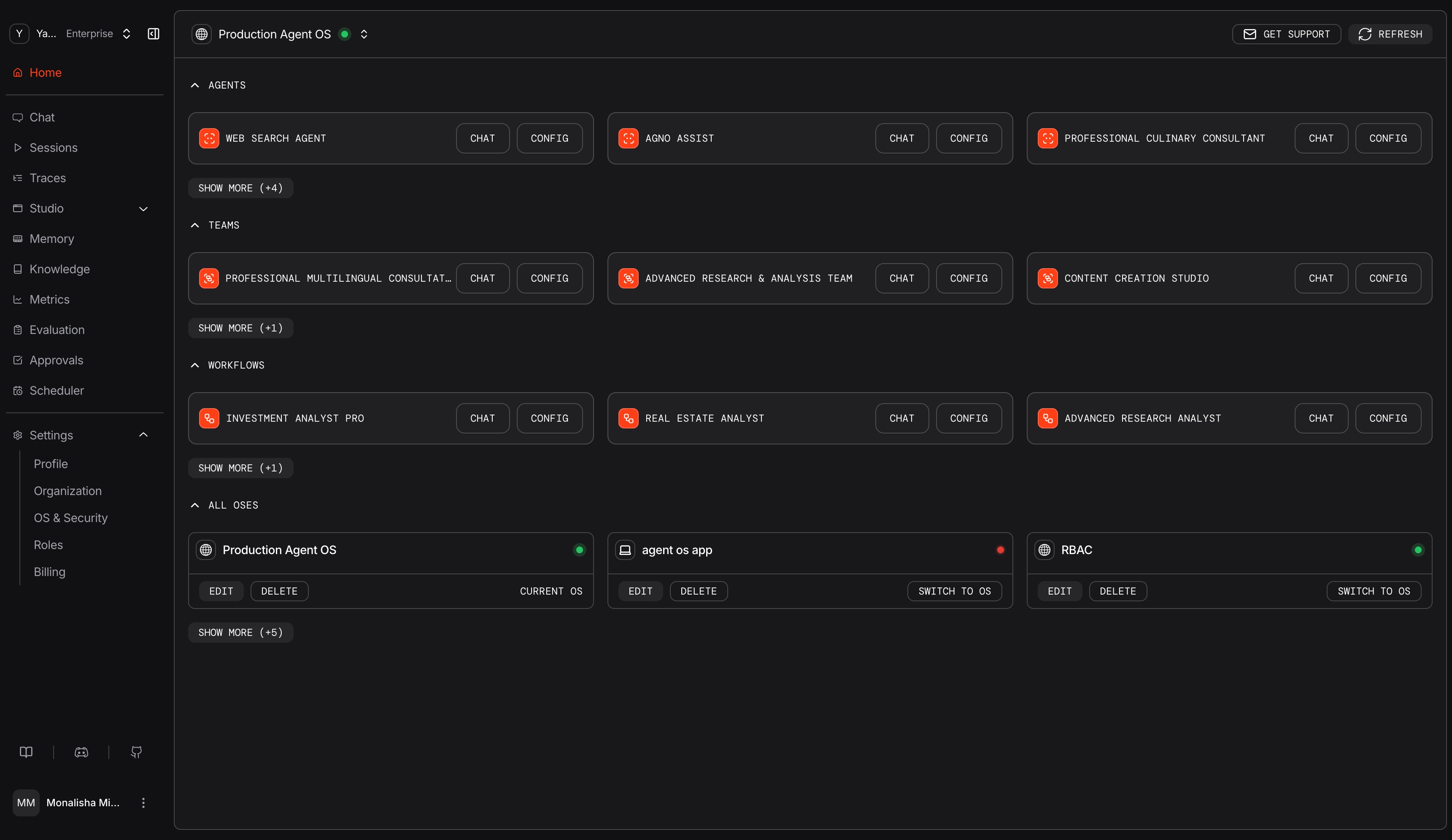
Agents, teams, workflows, and connected AgentOS runtimes
Follow Your First Run
1
Select a runtime
Open Home and select the local, staging, or production runtime you want to inspect. A green indicator shows that the browser can reach it.
2
Run a component
Open Chat, choose Agents, Teams, or Workflows, then select a registered component. Start a new session and provide an input.
3
Inspect the session
Open Sessions to review stored runs, messages, metrics, session metadata, and summaries when configured.
4
Open the trace
Open Traces to follow instrumented model calls, tool calls, team delegation, and workflow steps. Traces require
tracing=True and a database available to AgentOS tracing.Control Plane Views
Each view reflects capabilities configured on the selected runtime.Inspect and Improve Runs
Withtracing=True, AgentOS stores spans for instrumented agent, team, workflow, model, and tool operations. Trace trees show status, timing, errors, and model token metrics when available. Use them to find the model call, tool argument, member response, or workflow step behind an unexpected result.
Stored sessions provide the surrounding conversation and run history. The Metrics view summarizes run, session, user, token, and model activity. Individual run and session records include timing and cost when available. Evaluation results let you compare component behavior as models, instructions, tools, and knowledge change.
Build and Manage State
Studio composes agents, teams, and workflows from components registered by the runtime. Save drafts, test them, publish immutable versions, and choose which published version the runtime serves. Knowledge and memory expose the state used to ground and personalize runs:- Knowledge: Add and inspect content in knowledge bases registered with AgentOS. Ingestion, chunking, embeddings, and storage follow the knowledge configuration in your application.
- Memory: For agents with user memory enabled, inspect, create, edit, and delete records stored for a
user_id.
Operate the Runtime
Approvals persist requests for tool executions that require review. Authorized users can inspect the tool and its arguments, approve or reject the request, and follow its resolution history. The Scheduler stores cron-based jobs for AgentOS endpoints. Use it to create or update schedules, enable or disable execution, trigger a run immediately, and inspect run history.Data Path
The browser sends requests to the selected AgentOS endpoint. That runtime executes components, enforces its authorization configuration, and reads or writes the state shown in the Control Plane.
The Control Plane reads conversations, traces, memories, and knowledge from the selected runtime and its configured databases. It stores the endpoint and organization metadata needed to connect. Control Plane-managed JWT authorization also stores the private signing key; the runtime receives the corresponding public verification key. Model providers and other external services follow their own configuration. AgentOS anonymous telemetry is separate and can be configured or disabled. See Telemetry.